
Overview
There may be times when you need to reset your accounts’ job credit values to a particular value, or even reset at the start of a new season. Captyn makes it easy to do this.
How to do it
The easiest way to do this is to go to the People page and choose the Accounts tab along the top. We recommend setting the Offering Status to All. Finally, choose the Job credits block. Make your People page look like this:
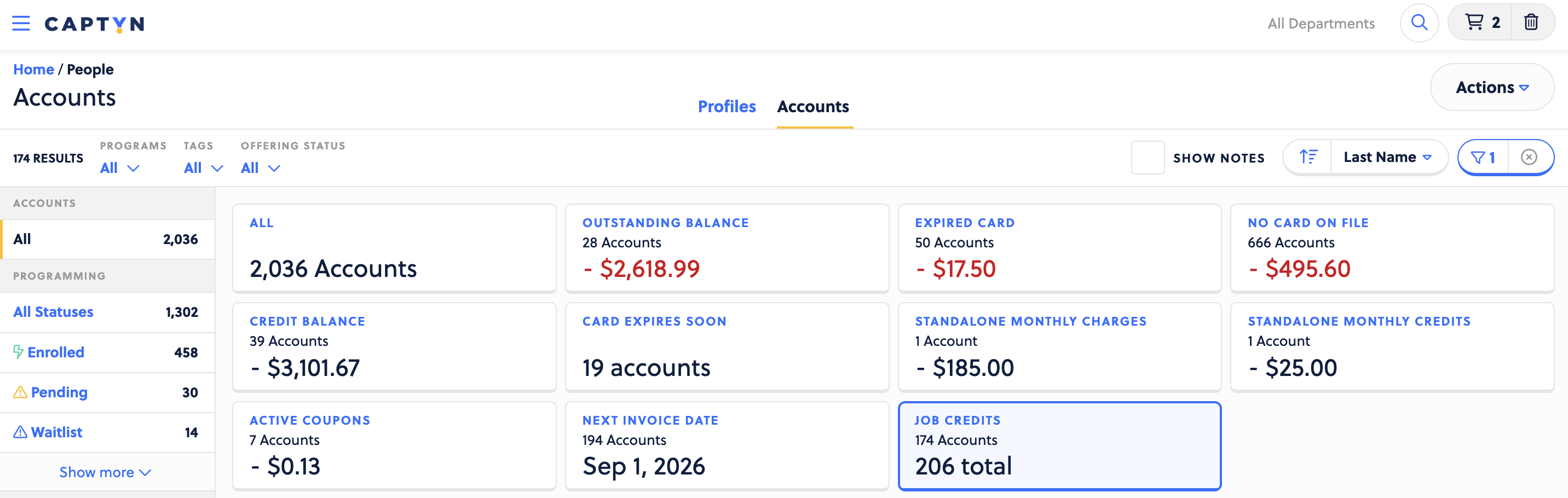
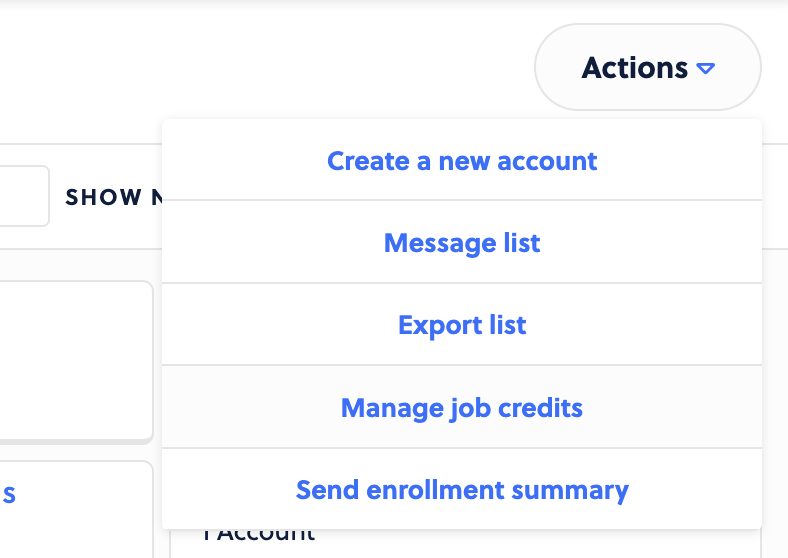
Once you have this, you can choose Actions > Manage job credits.
Set these as you would like. The most common action here is to reset the credits to a specified value. 0 is common here.
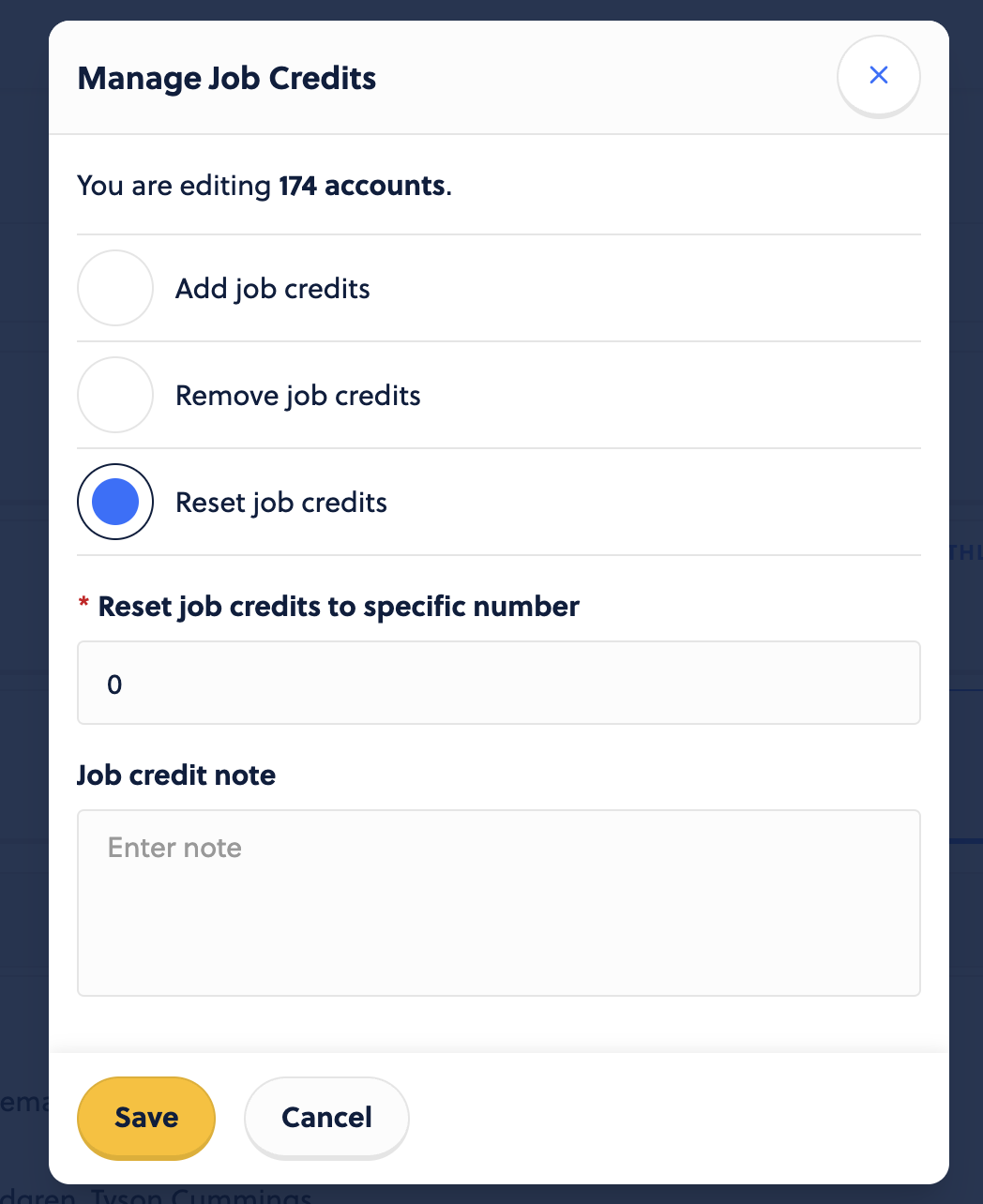
All job credits on the filtered for accounts will be set to 0 as their current value. All historical credit history will remain on an account’s job credit history view.